


Why “holds” matter
Holds are how Microsoft 365 prevents deletion or alteration of items you may need to keep – whether for litigation(නඩුයෑම), investigations, or regulatory(record) retention. Choosing the right hold type is critical: the wrong one can over‑preserve (ballooning storage and cost) or under‑preserve (risking spoliation{බලෙන් පැහැර ගැනීම}).
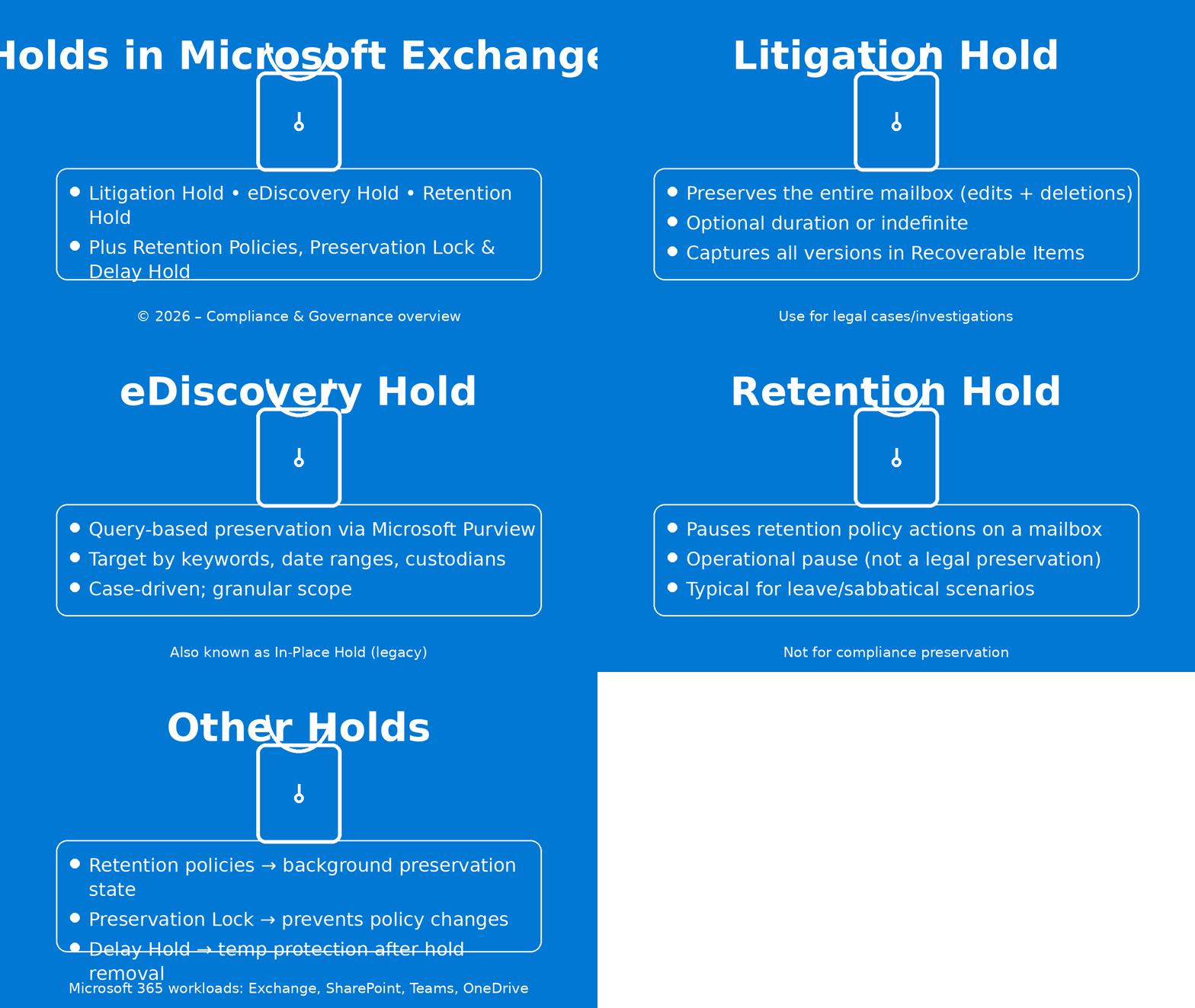
1) Litigation Hold (Exchange)
What it is: A mailbox‑wide preservation switch. When enabled, Exchange Online keeps all items (and all versions) even if users delete or edit them. You can preserve indefinitely or for a set number of days.
When to use it
- Active or anticipated (අපේක්ෂිත) litigation where broad preservation is required.
- Simple, tenant‑wide practice: “flip(භෙමින් උඩ විසිකරනවා) once, preserve everything.”
How it works
- Applies to the entire mailbox (including archive).
- Items users purge are kept in the Recoverable Items hierarchy; edits are versioned.
PowerShell
# Enable Litigation Hold indefinitely
Set-Mailbox -Identity user@contoso.com -LitigationHoldEnabled $true
# Time-bound Litigation Hold (e.g., 365 days)
Set-Mailbox -Identity user@contoso.com -LitigationHoldEnabled $true -LitigationHoldDuration 365
Show more lines
Gotchas
- Broadest blast radius—expect storage growth.
- Users can still delete items from their view; they’re preserved behind the scenes.
2) eDiscovery Hold (Microsoft Purview)
What it is: Case‑scoped preservation managed in Microsoft Purview eDiscovery (Standard/Premium). You can scope by users, locations, and (in Premium) KQL conditions.
When to use it
- Investigations that need targeted preservation (specific custodians{බාරකාරයා}, time windows, or keywords).
- Legal matters where case management, review, and export workflows are required.
How it works
- Holds are attached to a case; you can add mailboxes, SharePoint, OneDrive, and Teams.
- In Premium, you can apply query‑based holds to narrow scope.
PowerShell (Purview)
(Connect using
Connect-IPPSSessionin the compliance PowerShell.)
# Create a case
New-ComplianceCase -Name "Contoso-Incident-2026"
# Create and enable a custodian hold policy (broad, by location)
New-CaseHoldPolicy -Name "Incident-2026-Hold" -Case "Contoso-Incident-2026" `
-ContentLocation @("user@contoso.com") -Enabled $true
# (Premium) Add a query rule to limit scope
New-CaseHoldRule -Policy "Incident-2026-Hold" `
-ContentMatchQuery '(kind:email) AND (subject:"Project Aurora") AND (received>=2025-10-01)'
Gotchas
- Query complexity can exclude needed data—err on slightly broader scope.
- Lifting a case hold can trigger Delay Hold, giving a grace period before deletions resume.
3) Retention Hold (Exchange)
What it is: A pause button for retention policy processing on a mailbox.
When to use it
- Users on extended leave where auto‑deletion or archiving would be disruptive(කඩා කප්පල්කාරී).
- Temporary operational exceptions—not legal preservation.
PowerShell
# Pause retention for a fixed window
Set-Mailbox -Identity user@contoso.com -RetentionHoldEnabled $true `
-StartDateForRetentionHold (Get-Date) `
-EndDateForRetentionHold (Get-Date).AddDays(60)
Gotchas
- Does not legally preserve data. If you need defensible preservation, use Litigation or eDiscovery Hold.
- Be sure to clear it when the user returns, or policy processing stays paused.

Choosing the right tool: a quick decision guide
| Scenario | Best option | Why |
|---|---|---|
| Broad legal preservation across a mailbox | Litigation Hold | Simple, mailbox‑wide, captures all edits/deletes |
| Targeted investigation (custodians, dates, keywords) | Purview eDiscovery Hold | Case workflow, granular scope, defensible |
| Pause policy during extended leave | Retention Hold | Operational pause only—no legal preservation |
| Regulatory retention schedules | Purview retention policies | Lifecycle management; creates preservation behind the scenes |
| Locking retention against changes | Preservation Lock | For WORM‑style controls |
| After removing a case hold | Delay Hold | Automatic buffer before purging resumes |